 Pino
Pino
Offline Maps and Navigation, Wherever You Go
Pino lets you download maps, search places and navigate turn-by-turn without an internet connection — on Android and Wear OS today, with iPhone coming soon.
Pino for iPhone is in development and not yet available on the App Store.
Choose your platform
- Available
Pino for Android
Offline maps, search, routing and turn-by-turn navigation on your Android phone or tablet.
- Coming Soon
Pino for iPhone
The same offline-first maps and navigation, built for iOS. Not yet on the App Store.
- Available
Pino for Wear OS
Standalone maps and navigation directly on your watch — no phone required.
Everything you need, nothing that needs a signal
After a one-time map download, every core feature of Pino runs entirely on your device.
-
Download maps for offline use
Save whole regions to your device. Download sizes are shown before you commit.
-
Search places without internet
Find streets, addresses and points of interest inside downloaded regions — fully offline.
-
Plan routes on the device
Routes are calculated locally from downloaded map data, so planning works anywhere.
-
Turn-by-turn navigation
Follow clear directions powered by GPS, which works without any data connection.
-
Made for real travel
Hiking, city trips, roaming-free holidays and low-connectivity areas are exactly what Pino is built for.
On Wear OS, the watch is enough
Pino runs standalone on compatible Wear OS watches. Two things make that true, and they are not the same claim:
-
Works offline
After downloading a region to the watch, maps, search, routing and navigation need no internet connection.
-
Works without a phone
Everything runs on the watch itself — its own storage, its own GPS. Leave the phone at home.
Learn how Pino works on Wear OS or read how to navigate without a phone.
How it works
-
Download a region
Pick a country or area and download it while you have a connection. The size is shown first.
-
Search or select a destination
Offline search finds streets, addresses and places inside your downloaded regions.
-
Start offline navigation
Turn-by-turn guidance runs on your device with GPS — no signal required.
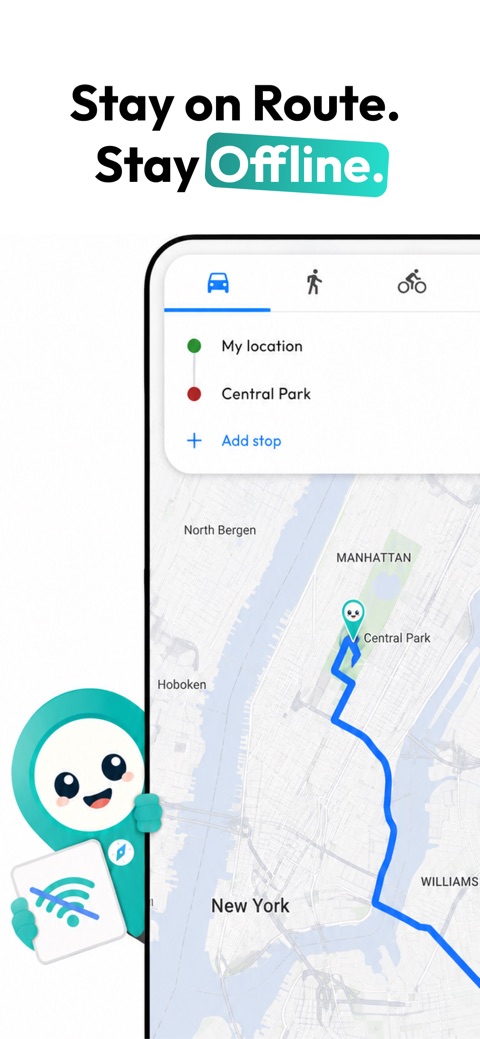
Pino in use


Quick answers
What is Pino?
Pino is an offline maps and navigation app for Android, iPhone and Wear OS. It lets you download maps, search places, calculate routes and navigate turn-by-turn without an internet connection.
Does Pino work without internet?
Yes. After you download a map region, Pino works offline: map display, place search, route calculation and turn-by-turn navigation all run on your device without an internet connection. You only need internet to download or update map regions.
Does GPS work without internet?
Yes. GPS is independent of mobile data or Wi-Fi. Your device receives positioning signals directly from satellites, so Pino can show your location and navigate on downloaded maps even in airplane mode or in areas with no coverage.
Can I use Pino on Android?
Yes. Pino is available for Android phones and tablets, with offline map downloads, offline place search, offline route calculation and turn-by-turn navigation.
Is Pino available for iPhone?
Not yet. Pino for iPhone is coming soon and is not publicly available on the App Store at this time. This page will be updated when it ships.
Latest product updates
Release notes are published on the changelog as updates ship.
Built to be trusted
-
Privacy first
Maps live on your device. Read the security and privacy overview.
-
Real support
Troubleshooting and contact options on the support page.
-
Device compatibility
Requirements and tested hardware on the supported devices page.
-
Official source
offlinemap.app is the official website of Pino, developed by Pino. About Pino.
Get Pino for your device
Pino for iPhone is in development and not yet available on the App Store.